Start with the Overview
In the console: Overview
Visitors engaged, chats, voice conversations, rooms opened and leads captured, for the last 7, 30 or 90 days.
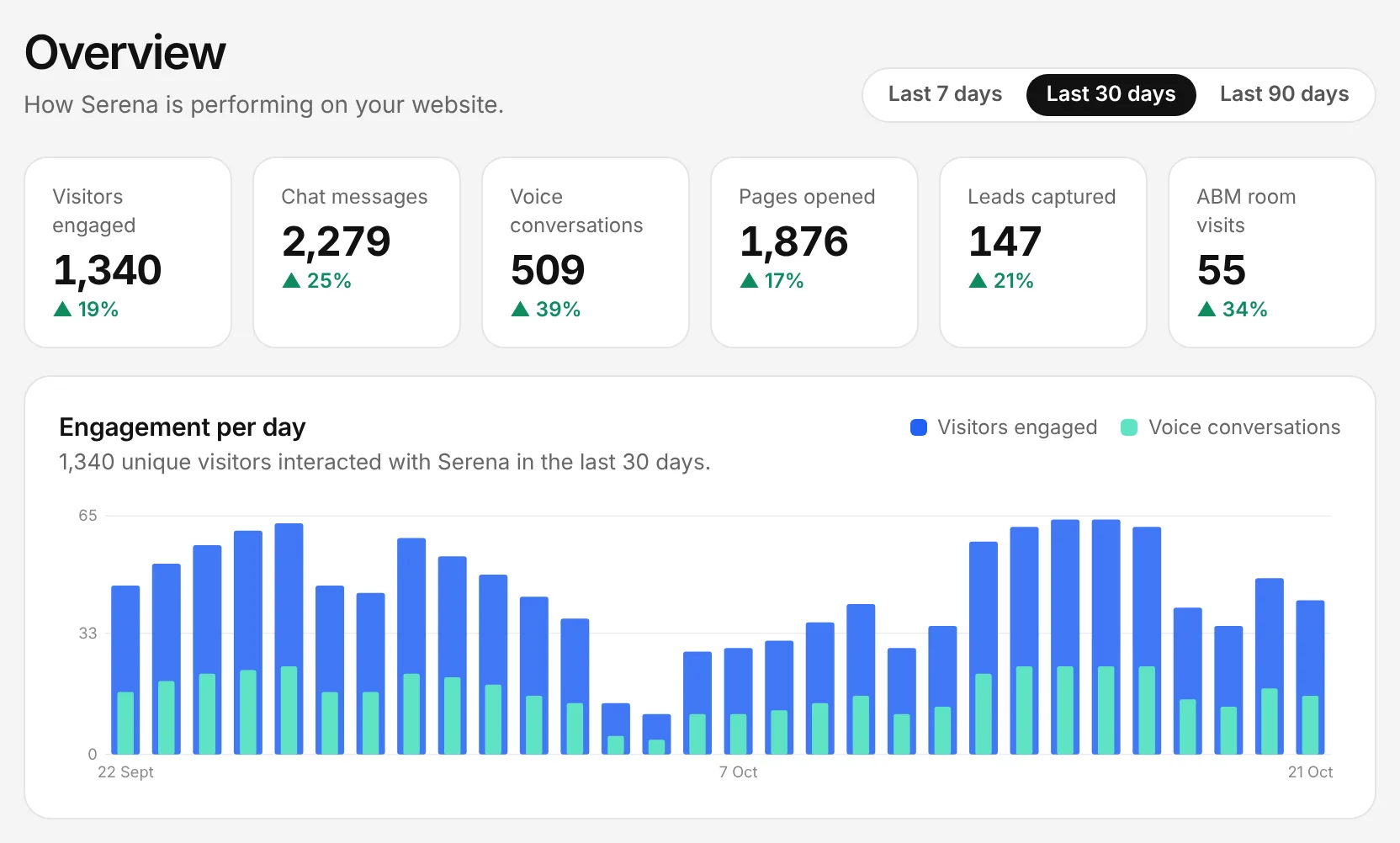
The Chambre console, shown with an example account.
Find where visitors drop off
In the console: Analytics › Conversion funnel
See how many visitors start a conversation, open a room and send a lead form, and where to improve.
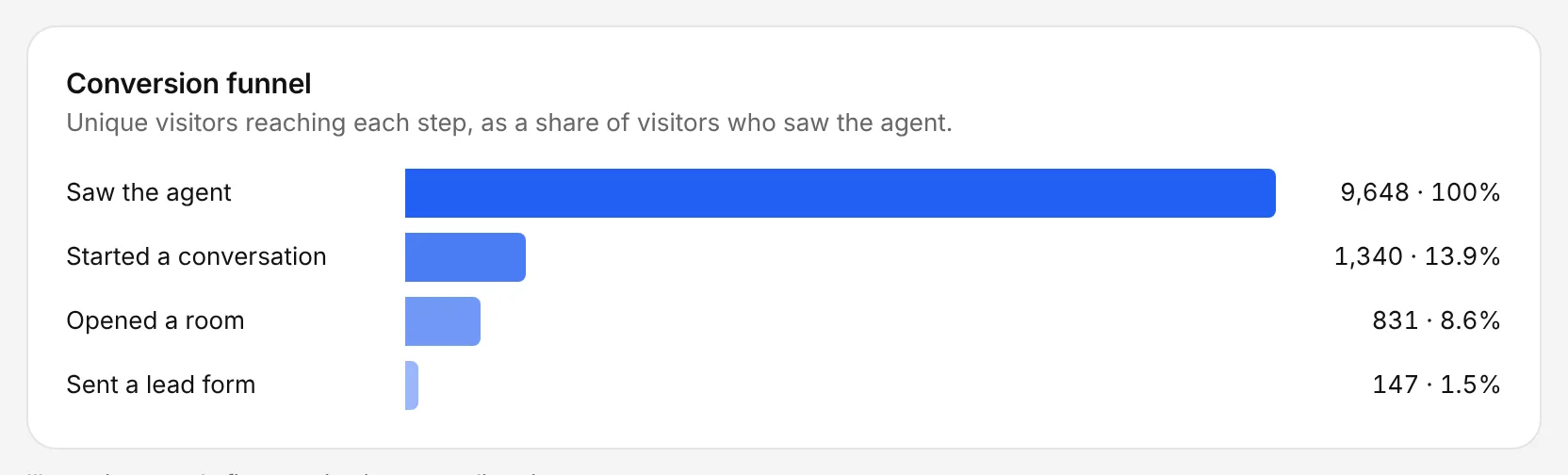
The Chambre console, shown with an example account.
Learn what they ask about
In the console: Analytics › What visitors ask about
The topics of visitors' questions show what to add to your knowledge and which rooms to improve.
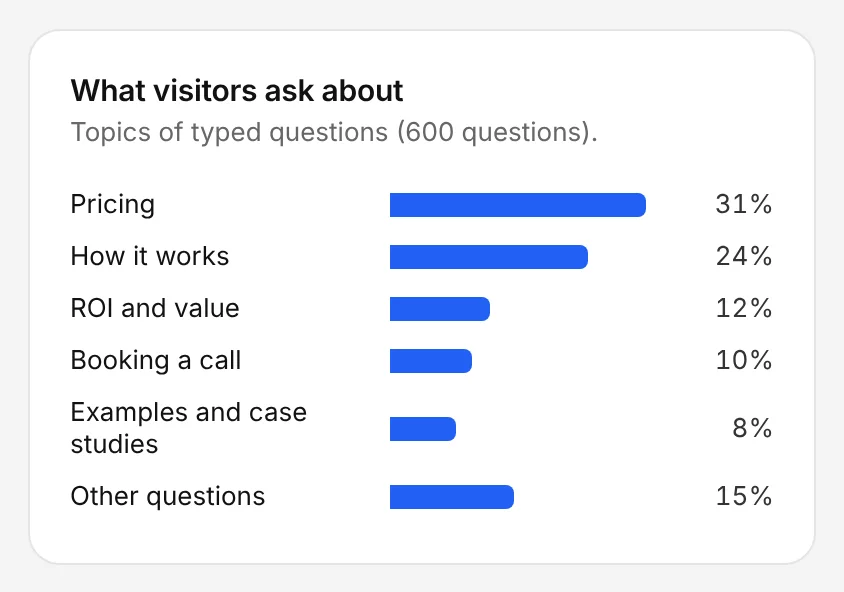
The Chambre console, shown with an example account.
Turn it into pipeline
In the console: Leads
Every lead with its source and transcript. Send them to your CRM to track meetings and pipeline through to revenue.
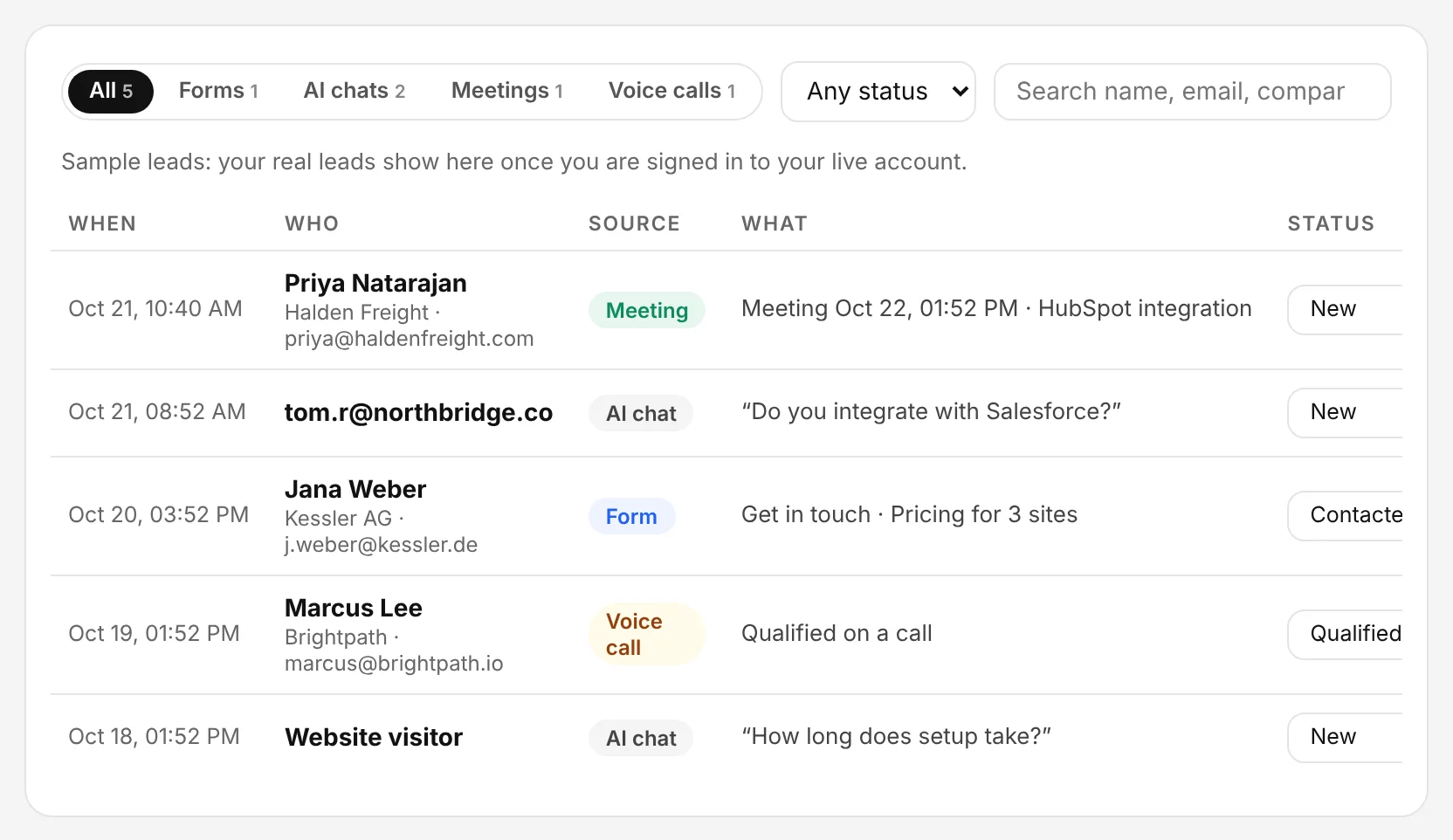
The Chambre console, shown with an example account.