Set the rules it follows
In the console: AI Agent Setup › Instructions
Tell the agent its goal, its tone, what to avoid and when to hand over to a person. Write it as you'd brief a new salesperson: short, specific and in your own words.
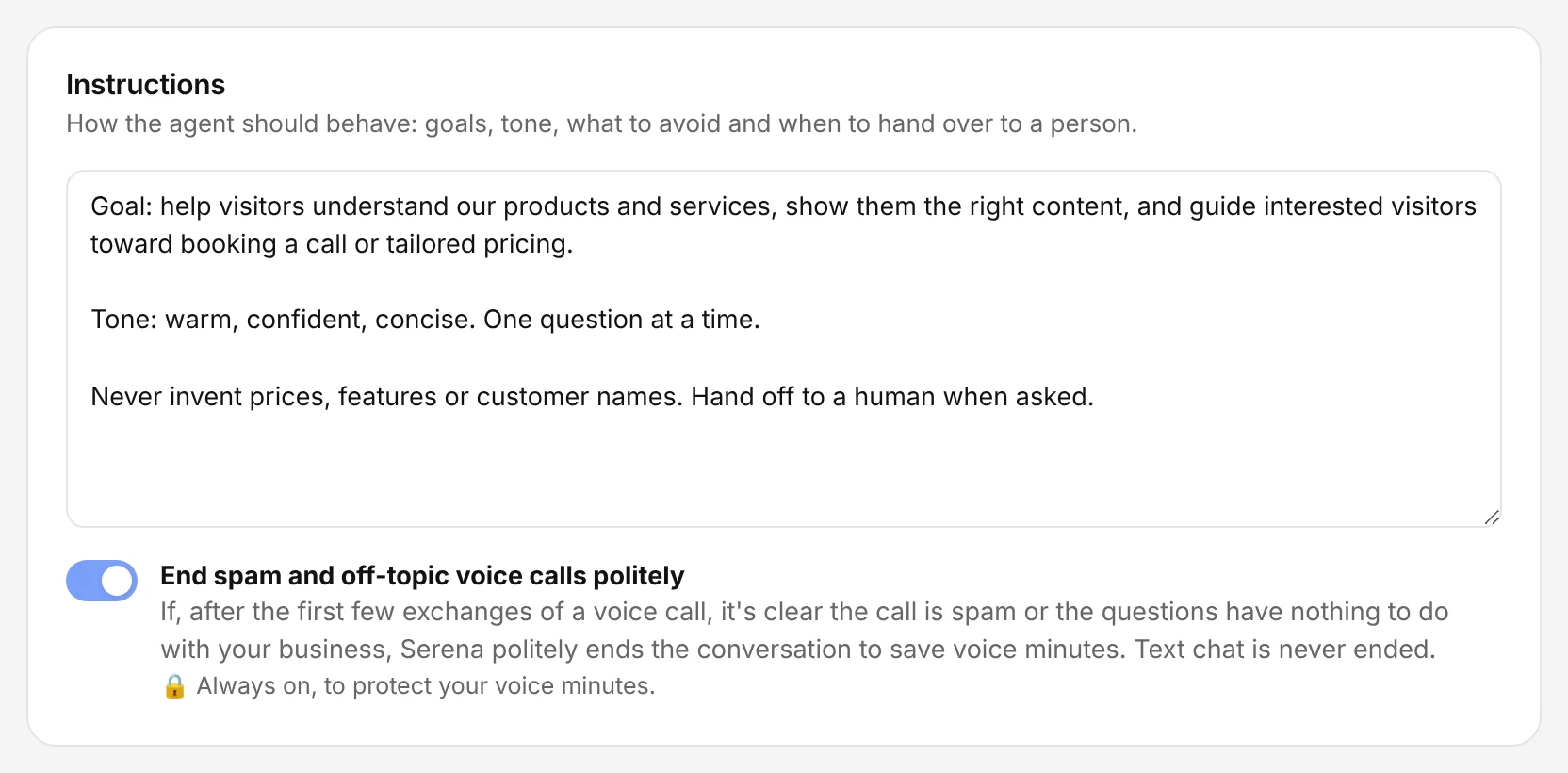
The Chambre console, shown with an example account.
Give it only approved knowledge
In the console: Knowledge Store
Upload your documents and add your website pages. The agent answers only from these sources and says when something isn't covered. Switch a source off at any time without deleting it, and choose which agents use each one.
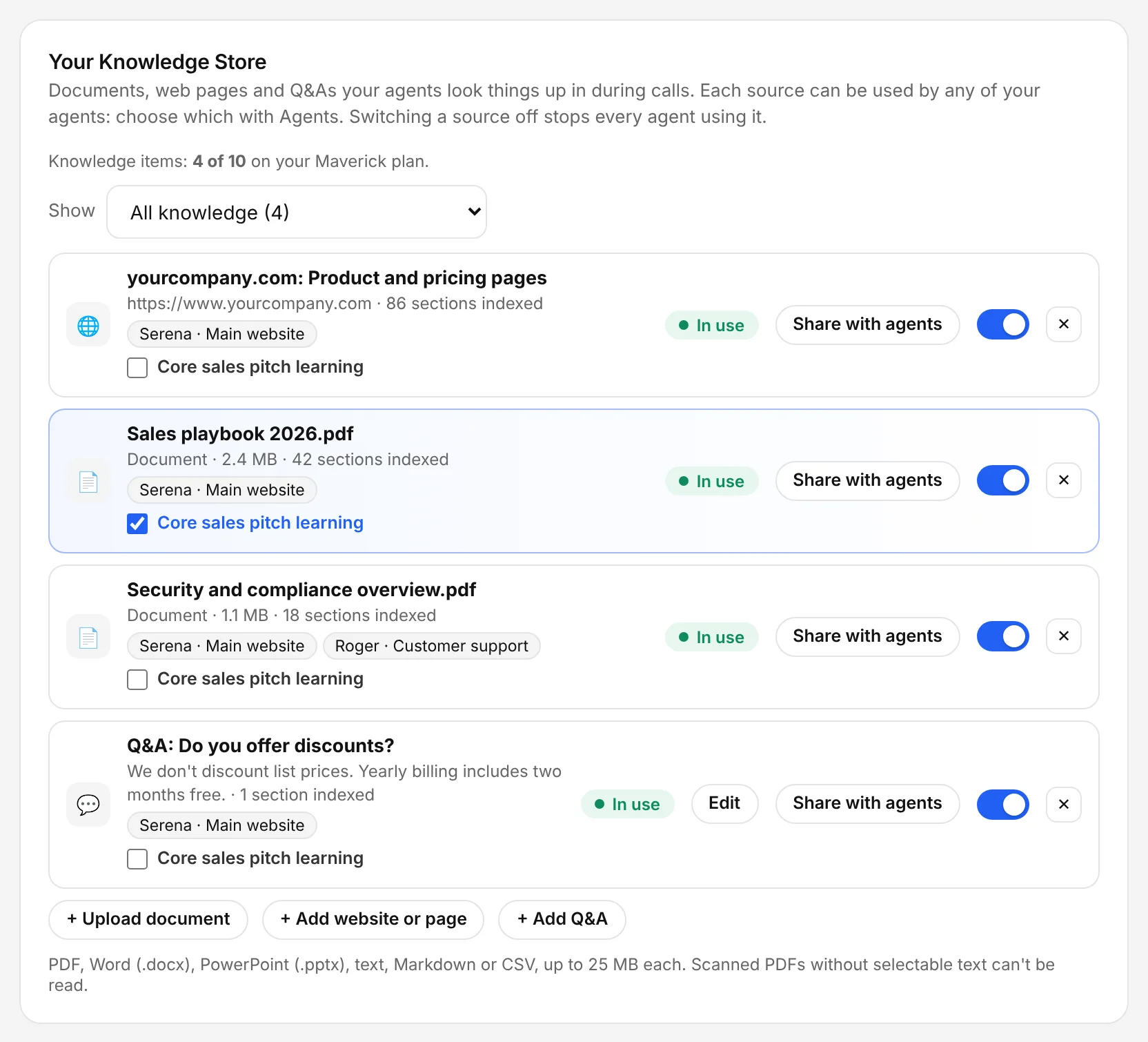
The Chambre console, shown with an example account.
Write exact answers for sensitive questions
In the console: Knowledge Store › Add Q&A
For pricing rules, guarantees or anything you want worded precisely, add a Q&A. The agent uses your exact answer.
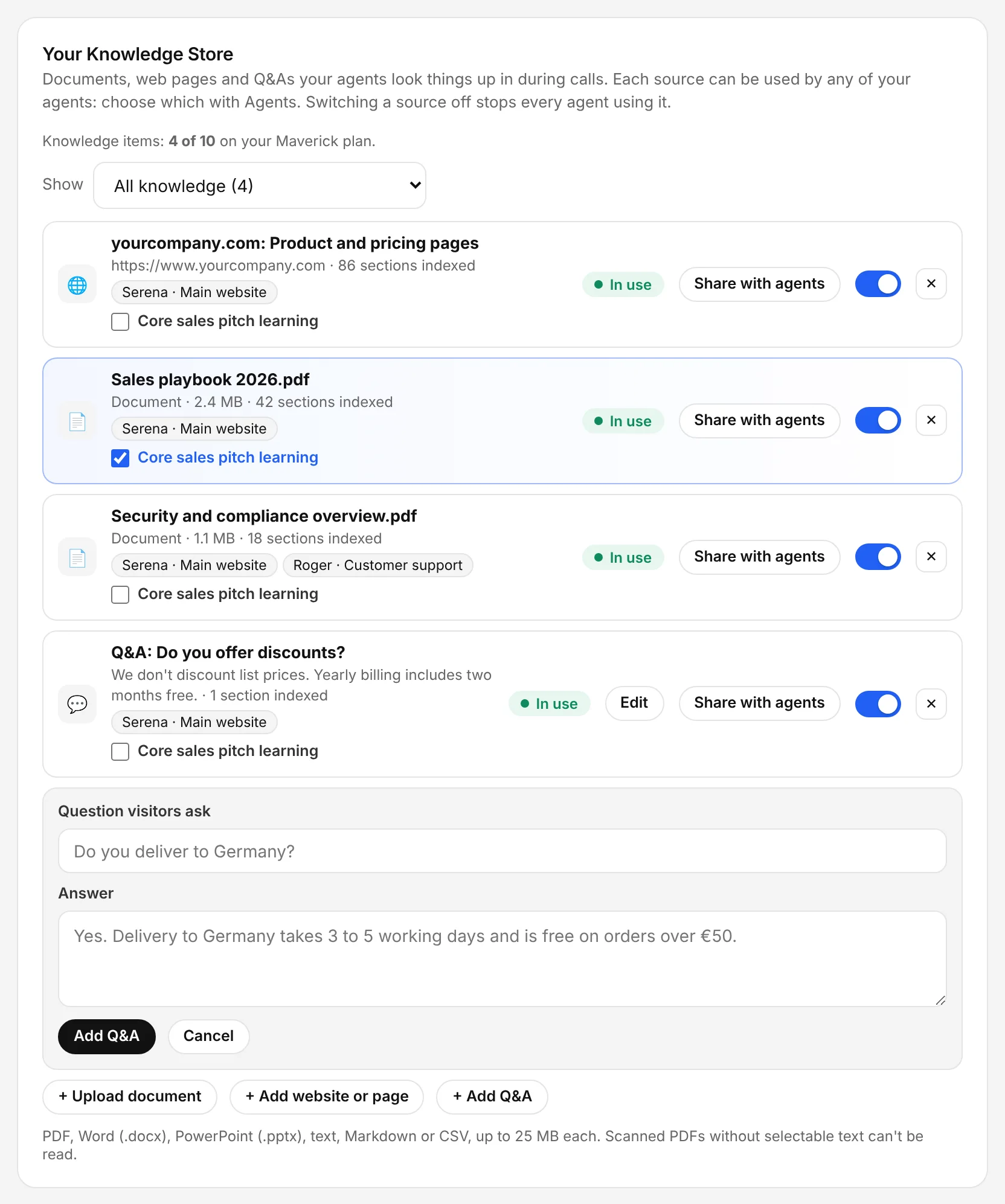
The Chambre console, shown with an example account.
Choose its personality and languages
In the console: AI Agent Setup › Personality
Pick up to three personality traits and the languages it may speak. It only speaks the languages you select; if a visitor writes in another, it says which ones it can help in.
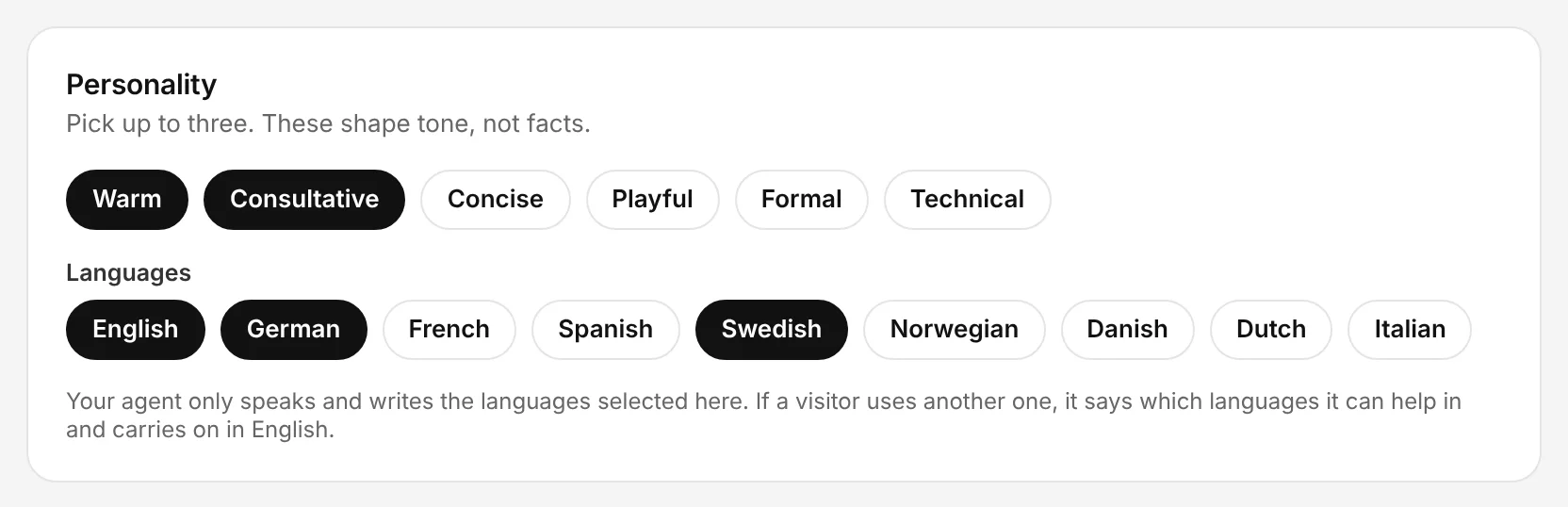
The Chambre console, shown with an example account.
Collect only what you need
In the console: Lead Forms
Choose which contact details the agent asks for and which are required. A work email is always required.
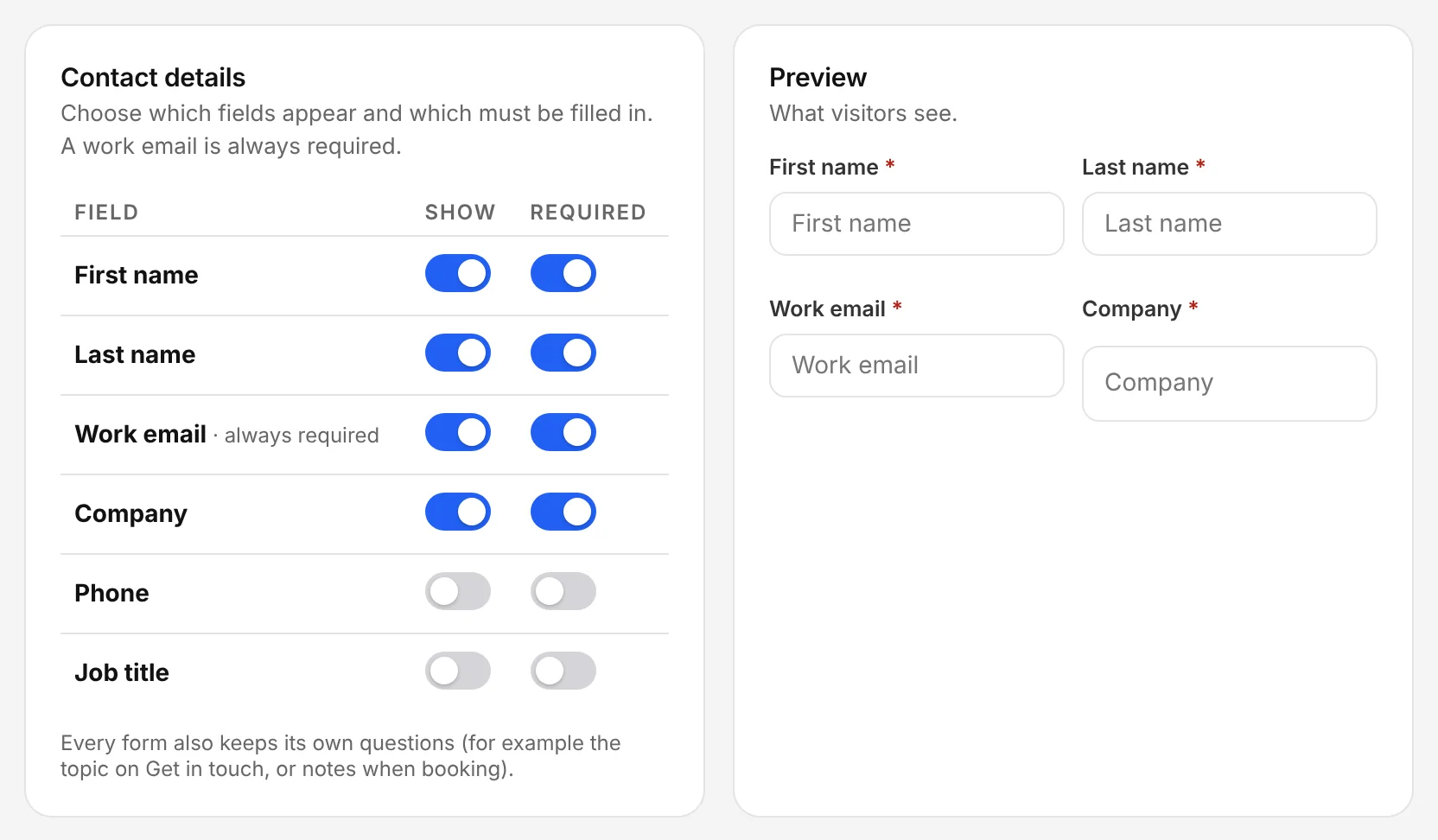
The Chambre console, shown with an example account.
Review transcripts and improve
In the console: Leads
Every chat, call, booking and form is saved with its transcript. Read the first few weeks, then add the knowledge and Q&As that were missing.
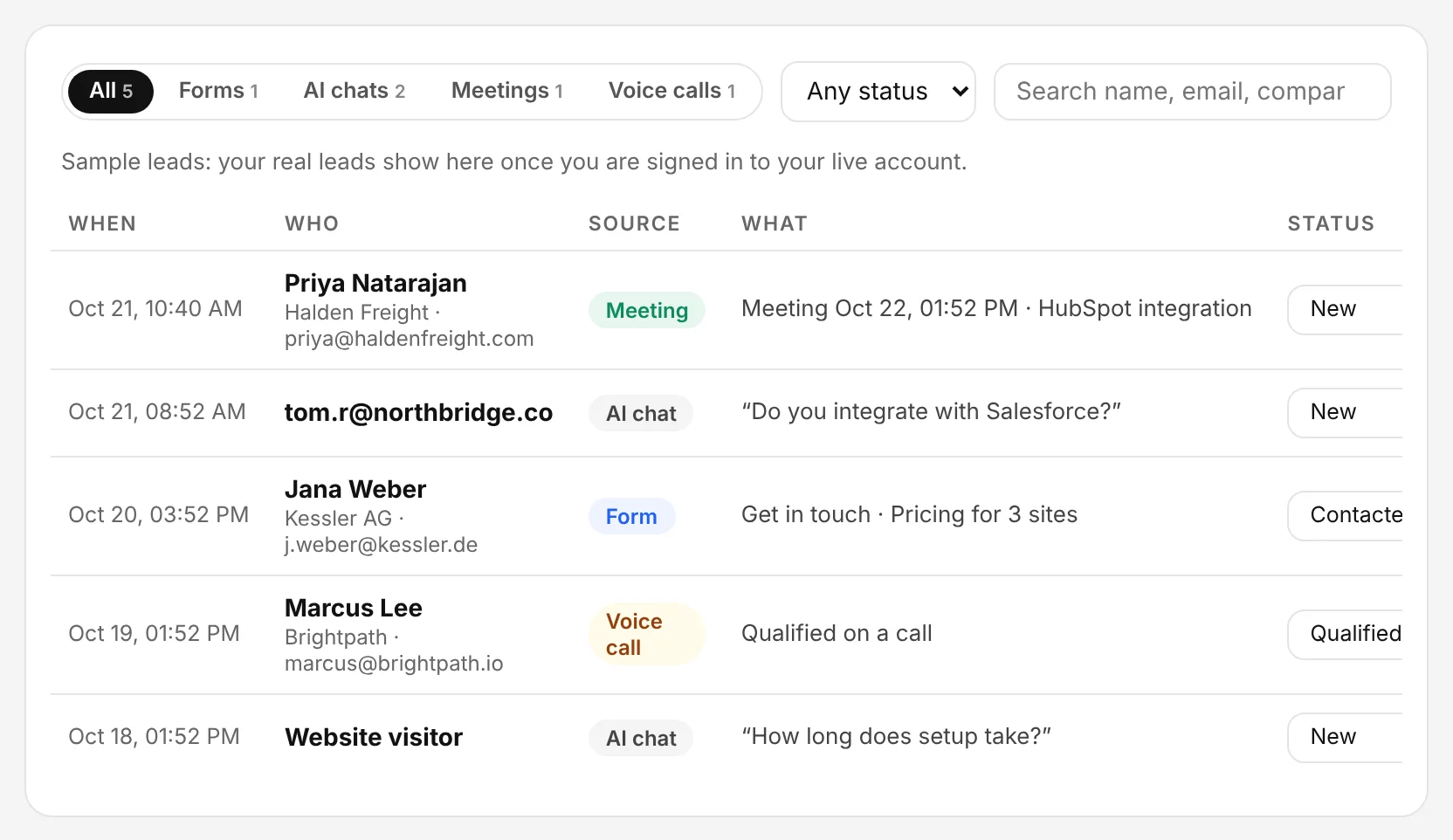
The Chambre console, shown with an example account.