Connect your calendar
In the console: Integrations › Calendars
Connect Google Calendar (meetings get a Google Meet link) or paste your Calendly event link.
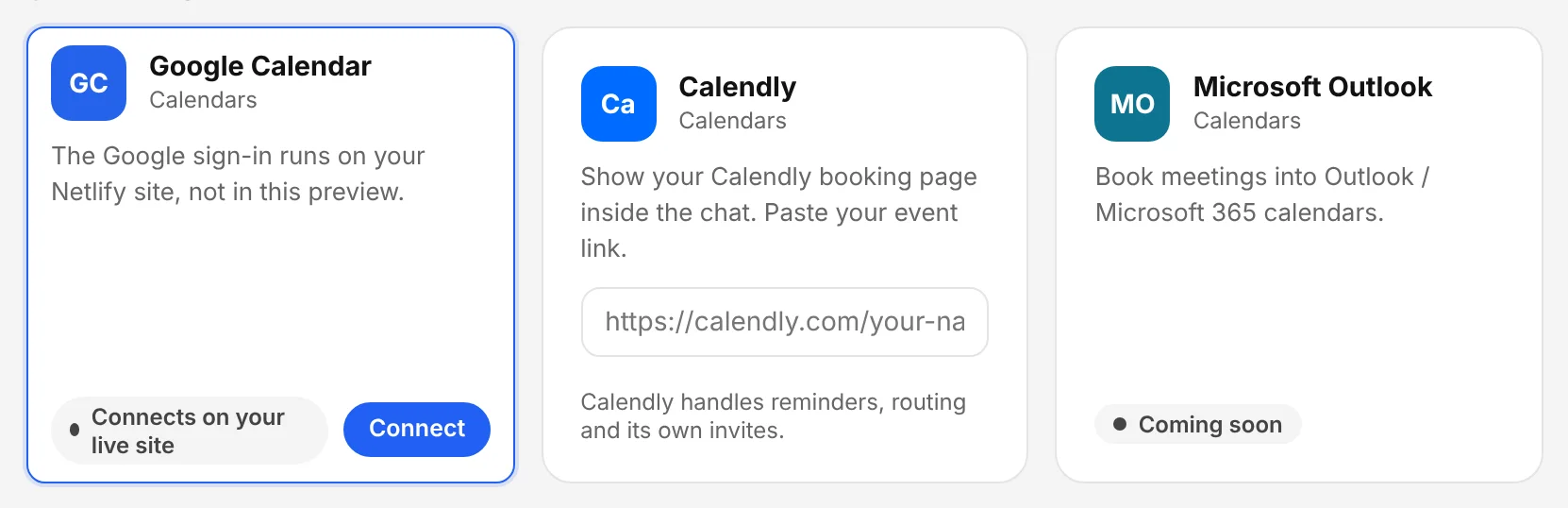
The Chambre console, shown with an example account.
Set when people can book
In the console: Integrations › Meeting booking
Name the meeting, set its length, your time zone, working days and hours, minimum notice and the gap between meetings. Visitors only ever see free times.
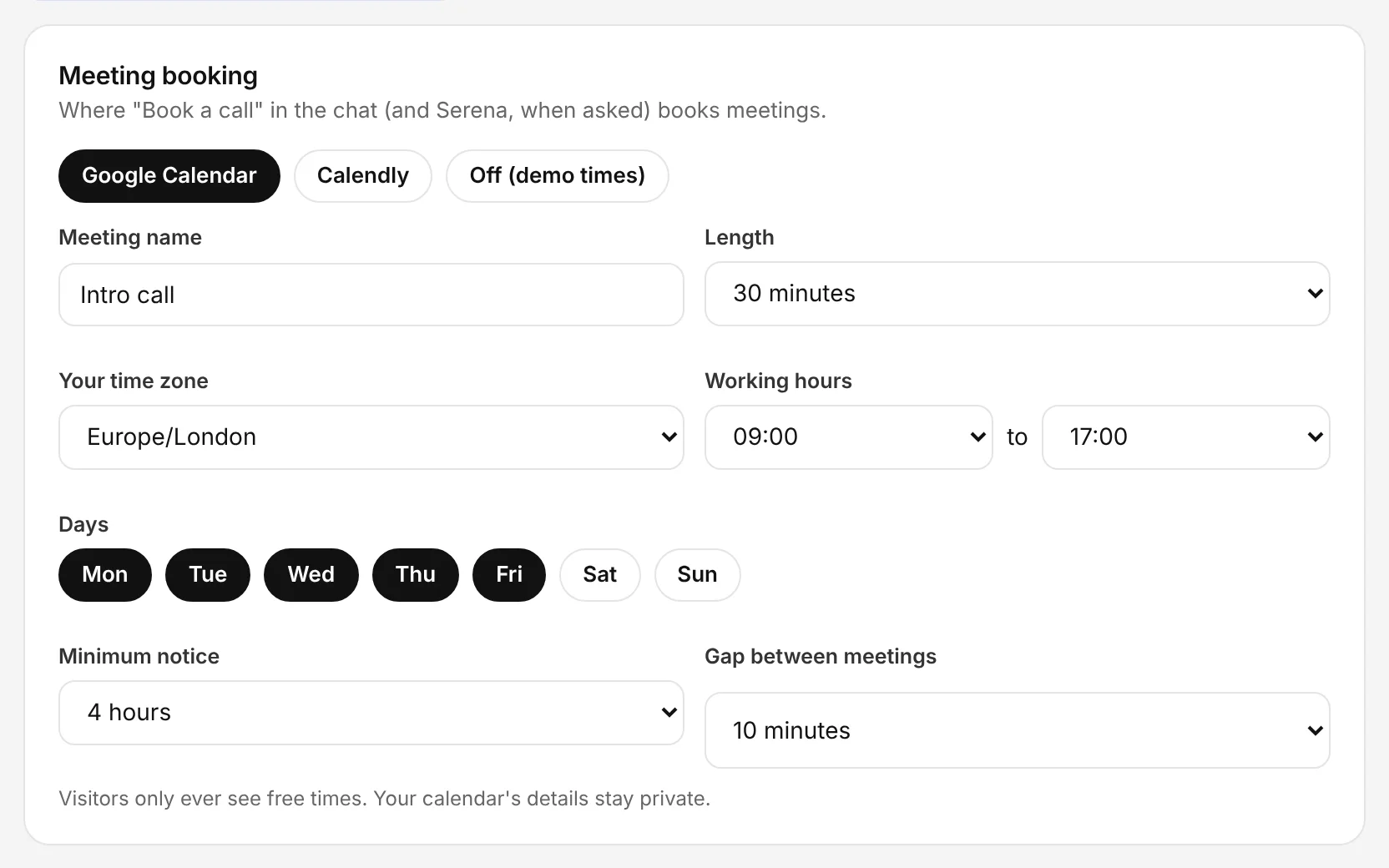
The Chambre console, shown with an example account.
Decide what you need to know first
In the console: Lead Forms
Choose the details collected before a booking. The agent asks for them naturally in the conversation.
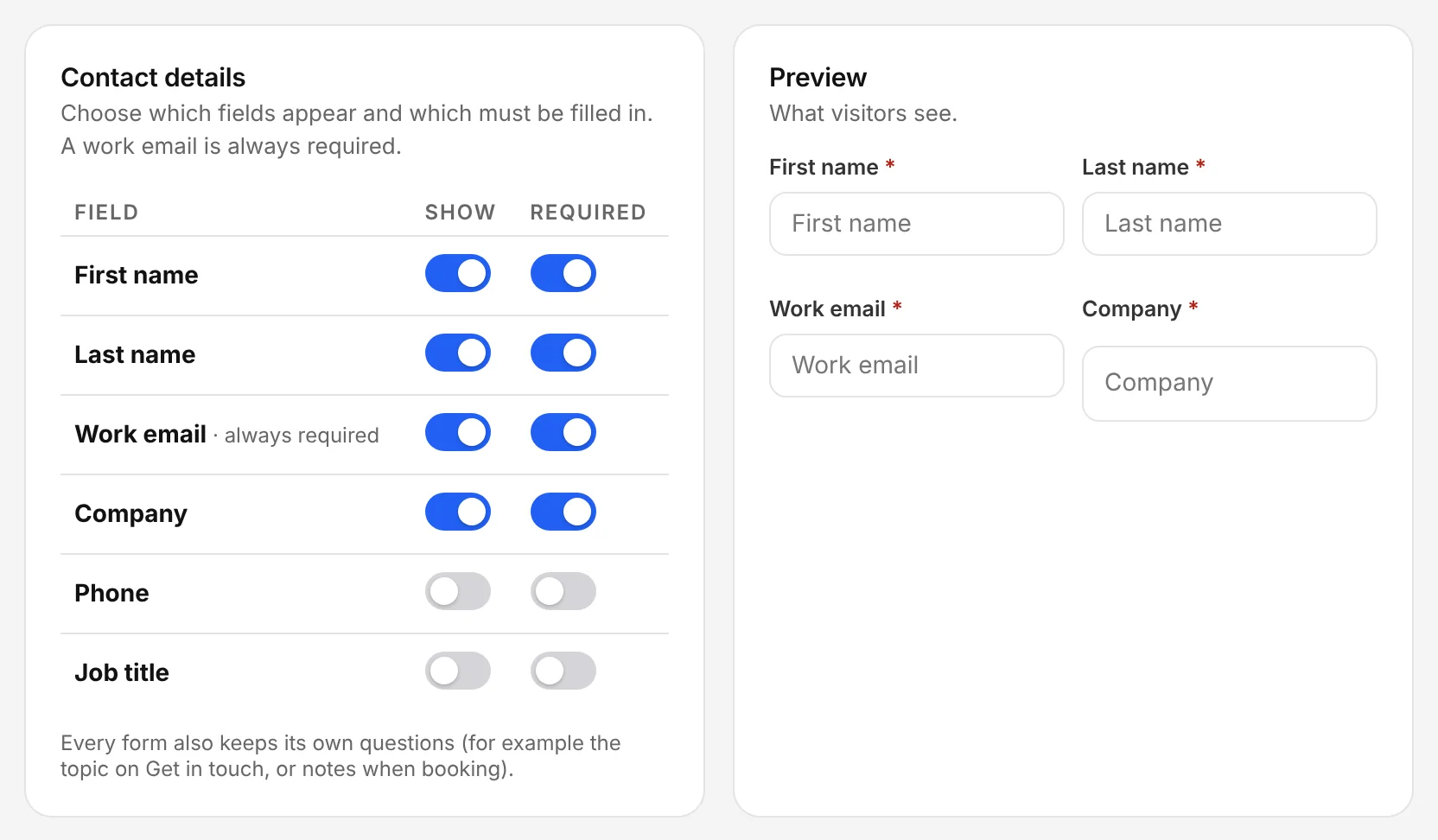
The Chambre console, shown with an example account.
Follow up from Leads
In the console: Leads
Booked meetings appear in Leads with the conversation, so whoever takes the call knows the context.
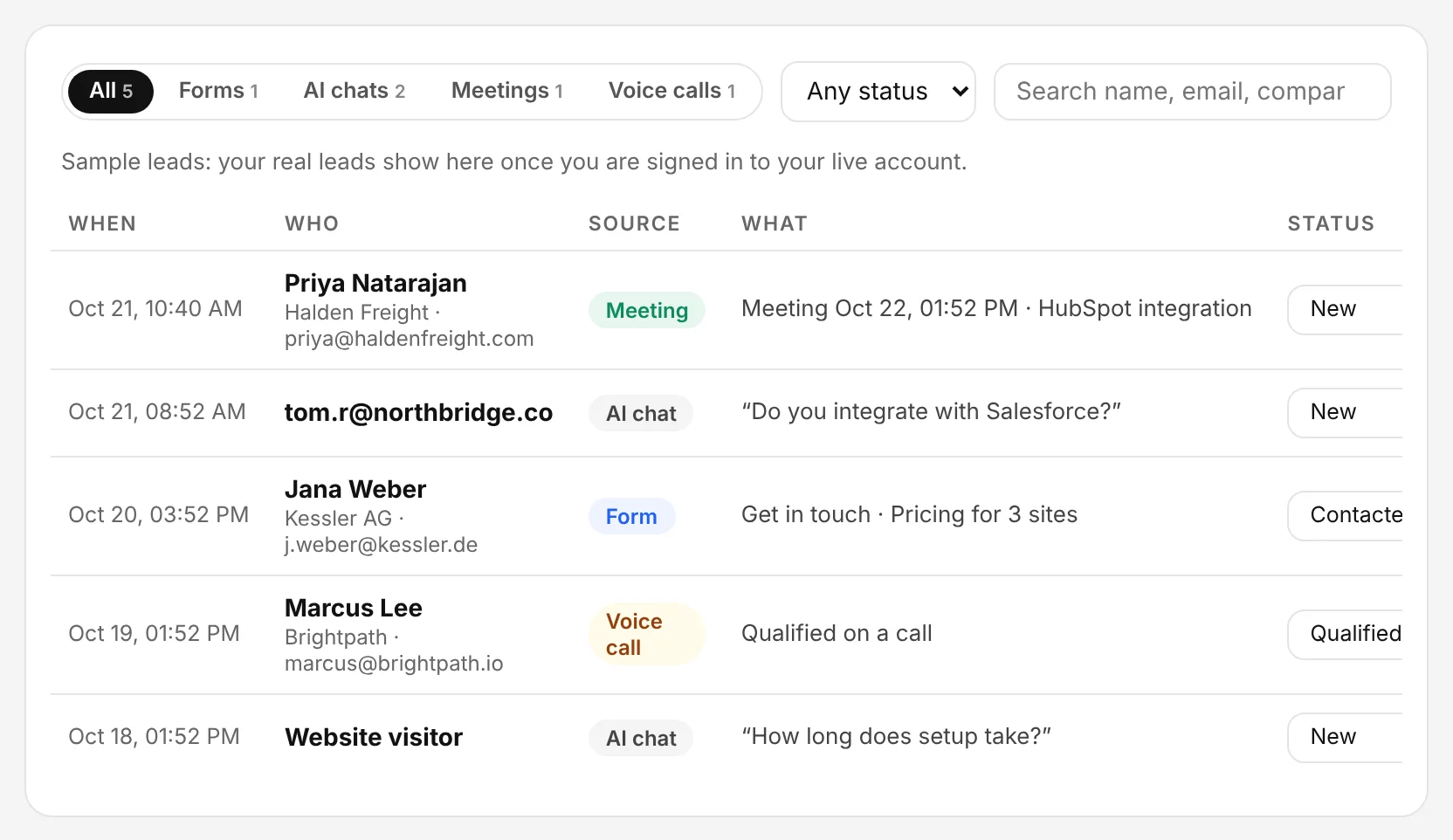
The Chambre console, shown with an example account.